I only recently learned this, so I’ll try to help you out like others did for me ;)
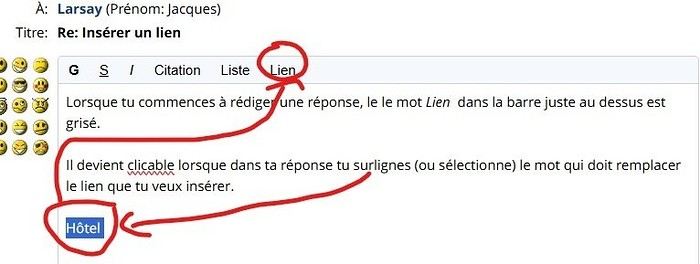
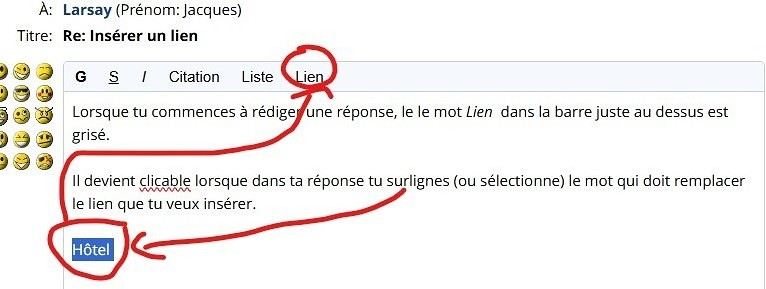
You highlight the word you want to turn into a link.
For example: The Eiffel Tower
You open the Link tab (at the top of the message toolbar).
You paste the link you want to insert into the address bar provided (make sure not to include "https" twice).
You click on Insert into text.
And that’s it—the link replaces the words you selected: The Eiffel Tower.
Inserting a link
Larsay · 2024-12-09
Weird, I don't have the tab in my message
Inserting a link
Kola · 2024-12-09
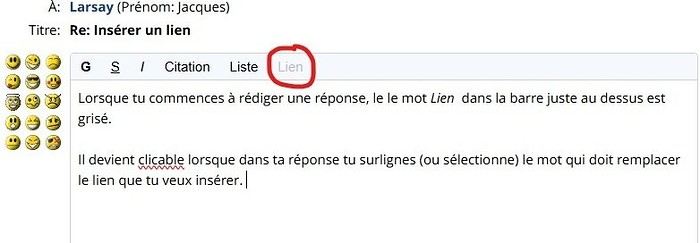
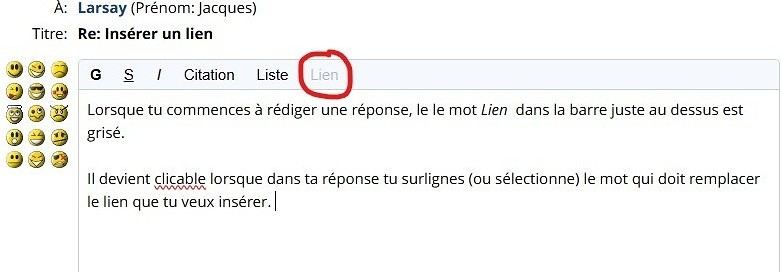
When you start writing a reply, the word Lien in the bar just above is grayed out.
It becomes clickable when you highlight (or select) the word in your reply that should replace the link you want to insert.
The rest of the steps are in Kate’s post
Inserting a link
Larsay · 2024-12-10
Thanks
VoyageForum — the largest community of French-speaking travellers.