Normally, when you click on reply, you’ll see the "add a photo to the message" option right below the text box. You just need to select the photo and then make sure to click "upload the photo".
You always need to select the photo first and then upload it.
The photo will then appear as a thumbnail, 4 cm below the box where you wrote your text.
At that point, you first need to click where you want the photo to appear in your text.
Finally, below your thumbnail, click on the blue banner that says "Add to text" in white.
After that, you can either post your message directly or click the blue "Preview" banner to see what it will look like.
« Tout le monde s'interroge sur comment laisser une meilleure planète à nos enfants, mais on devrait plutôt penser à laisser de meilleurs enfants pour notre planète. » Clint Eastwood
Many of us have noticed that bugs have been making it difficult to navigate the forum lately.
I’ll let Kate and Ticapi explain the issue:
I went to your profile to check out the Thailand travel journal, and when I clicked on it, it brought me back here again. All week, I’ve been dealing with bugs like this—it’s really discouraging from continuing on VF.🙁
I had the same thing happen, and multiple times. For me, it was Montagnard’s latest journal that kept coming up no matter which discussion I clicked on.
Hi everyone, fellow travelers!
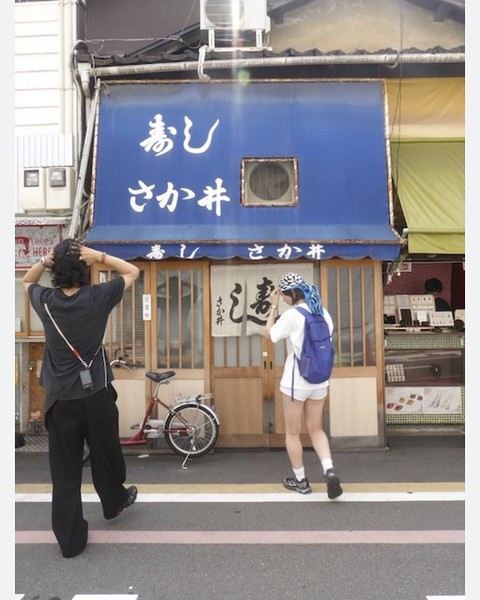
I’m looking for anyone who’s in Kyoto or planning to visit Nishiki Market! Here’s the thing: during our trip there in April, we discovered a jewelry artisan (highly recommended!) on the left when exiting through the west exit of Nishiki Market (which is a long covered east-west street). I bought a piece of jewelry for my daughter there, but she lost it. I’d love to buy her another one! In the photo, it’s the shop with the yellow awning to the right of the restaurant with the blue awning, "Sushi Sakai." Would any kind soul be willing to get the shop’s name, email, or phone number for me? Despite my Google/AI searches, it’s nowhere to be found. A thousand thanks to whoever can help me out! Wishing you all great vacations!
Sabrina
Hello everyone! 🙂🙂,
A BIG thank you to all the travelers who sent us postcards this year—my students are becoming real geography whizzes!!!!!!!! I’m renewing my call for your kindness this year! We’re also working on food, so if your postcards can make our mouths water with local dishes, traditional meals, or typical recipes, that’d be amazing!!
Here’s a quick recap of the project:
I’m reaching out to all travelers and globetrotters on this forum. I’m a teacher in Creuse, working in a ULIS program (which welcomes children aged 6 to 12 with disabilities into a mainstream school). This year, I’m starting a school journal project that will involve the kids in many different topics. A big part of the journal will focus on opening up to the world, diversity, travel, countries, culture...
I’m launching a call to invite as many of you as possible to send us a little postcard (from France or anywhere in the world!) to take us on a journey and help us discover new places, countries, and horizons—much more fun and exciting than a regular geography textbook! One section of our journal could be called "We received mail from " and would be an opportunity to research that location and share what we learn with our readers (a super enriching activity in class).
The project starts in September 2025 but has no real end date, as this journal and world discovery initiative will span several school years (the kids stay in my ULIS program for multiple years). Postcards can be sent anytime—throughout the year, across seasons, even during holidays! (The kids will find them when they return.)
I hope this idea appeals to as many of you as possible and that you’ll spread the word to your fellow traveler friends. Make us dream, take us on a journey!!!
For those who’d like to write to us in a language other than French, no problem—quite the opposite!!
Thank you in advance for your participation(s)! Below is our address. Feel free to leave your own address on a corner of the postcard if you’d like us to write back! 😊
The ULIS program students
Bonnat Elementary School
12 rue Georges Sand
23220 BONNAT
Thank you, and see you soon, I hope! 😁
Julien
Regarding the amount of tobacco you can buy during a trip in the European Union and bring back to France, we can't really talk about a "duty-free allowance," because the rules around how much tobacco you can bring back to France aren't straightforward at all under French law.
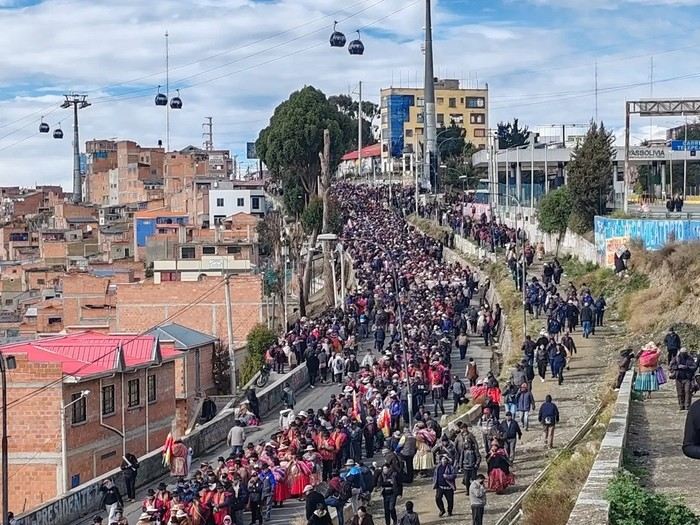
BOLIVIA: THE COUNTRY ON THE BRINK (What's Really Happening)
A dramatic saga is unfolding before our eyes in the Andes. Between suffocating blockades, clashes, an international airlift, and historic political decisions, Bolivia has just experienced 48 hours of rare intensity.
Here’s the full breakdown (economic, social, and political) of the last 48 hours:
For travelers and tourists: the article also includes an important note about the upcoming publication (starting tomorrow) of the precise status of roadblocks, route by route.
I’ll post the full update here on Voyage Forum!
Don’t miss this in-depth analysis. History is being written before our eyes! https://www.petitherge.com/bolivie-paralysie-et-ultimatum
I just discovered a great show on Arte.
It's called "7 en route": seven young European journalists travel around Europe in a fully converted bus, making reports on every city they visit. It's amazing! 🙂
Yesterday, for example, they were in Rome, Italy, and the reports included things like the world's smallest restaurant—a super romantic spot for two. There was also a report on the king of paparazzi in Italy.
They have to pick topics that let us discover the little quirks of each country. And at the end of each episode, we get to see the finished report.
It's such a great show, mixing journalism, travel, and discovery—basically, a must-watch!
It airs in the evening starting at 6:50 PM (I think), and it started this past Monday, July 14th.
If you watch it, let me know—we can chat about it!
I left my heart’s country eight days ago and returned to my adopted one—or was it the other way around? Scotland-Morvan, Morvan-Scotland, I’m not quite sure anymore.
After a quarter without dragging my slippers around here, even though I’d loudly declared I had no interest left in this site, here I am again!
My imagination never stays fallow for long. Just enough time for my inner land to rest. It gets overgrown with fresh nettles, the kind you can pick without getting stung. Then, it’s time to till the fragrant earth and let the story grow.
I hesitated over where to set this story.
Maybe the Highlands, maybe the Hebrides, maybe the Orkney Islands, maybe the Shetland Islands. All of Scotland is myth—easy to embroider.
But in the end, no. I’d almost be too afraid to bare my soul.
The story will take place at home. Simple, practical.
1)
This morning, I was up well before dawn, feeling a bit grumpy, but nothing a bowl of coffee won’t fix. I love my bowl, and no one dares take it. It’s porcelain, edged with intertwined blue flowers. On the bottom, it says "Revol." The factory has existed long before the Revolution. It was my great-grandmother’s bowl. She drank roasted barley from it during the war, then her Leroux chicory.
Last year, a little guy dropped it. My bowl broke into three pieces. A black anger vibrated deep inside me. The little boy was so upset, on the verge of tears. How could I scold him!
I picked up the three pieces and took Little Boy in my arms. His hair smelled of the light, sweet sweat of toddlers. A gentle hug that healed—his budding sorrow and my anger—everything vanished, and time carried on.
Today, my bowl is even prettier. Man fixed it using the traditional kintsugi technique, except he didn’t use gold powder or lacquer but superglue, and he delicately painted the cracks with woad blue. And my bowl is even more beautiful now.
I’m lingering, I can tell—it’s just that a story wraps itself in life, and life can’t be told in the snap of a finger. Life is long. Like in architecture, you start with a rough sketch, called a "sous-cul" (the initial pencil drawing), then you make a tracing, which is the work itself, the one you later carefully roll up in a wooden tube.
Life is like that: you erase, you start over, you use the nub of the pencil until it’s tiny, but you keep going—dreaming, loving.
"Living is a full-time occupation, a unique adventure. Always a surprise and a wonder, which sometimes turns into astonishment. And, from time to time, happiness."*
Alright, enough digressing—this introduction is definitely too long.
Tomorrow, I’ll get to the heart of the matter.
(I hate that expression; it feels like I’m cutting into someone’s skin.)
I’m Yann, a 28-year-old TikToker who loves traveling!
Since I’ve been to several destinations, I’d love to get a flag from each one as a sort of trophy. But from what I’ve seen online, a lot of sites sell them with what looks like really poor quality...
So I’m reaching out to you all to share a site you usually use—help me start my collection! :)
hi there
I’d love to get some opinions—I’ve never used Airbnb before.
They’re offering a key handover via lockbox.
Any tips or advice?
Is it reliable?
Best,
Hi there, I’m Laura, and I’m looking for a few people to answer some questions so I can understand your travel wishes and challenges. It won’t take long—I can chat here, by email, or by phone. Don’t worry, I’m not selling anything! 😊
On this forum, we talk a lot about trekking in the Himalayas, but I’d love to share another side of Nepal: its spiritual, cultural, and religious atmosphere, especially in Kathmandu.
Nepal, much like Tibet and Bhutan, is deeply connected to the Himalayas—the ultimate sacred mountain range. This small country exudes a calming vibe, shaped by a strong spiritual dimension. What I loved most was the unique sensory experience you get there. Walking around temples and tantric monasteries, a distinct scent fills the air—aromatic plants used for ritual fumigation. Locals mainly burn Himalayan juniper, cedar, sandalwood, and other local essences. This fragrant smoke is a way to purify the space and reach the deities, and you’re constantly enveloped in these aromas.
Another striking aspect is the sound. As soon as you step outside, you hear bells ringing in front of temples. People ring them three times before praying to announce their presence to the deities. Nepal is also the birthplace of singing bowls and sound meditation practices. In Kathmandu, you can easily find meditation sessions or "sound baths."
The spiritual dimension is everywhere: a Hindu sadhu practicing asceticism, a lama in deep red robes with his mala, turning a prayer wheel while murmuring "Om mani padme hum." Newar Buddhism, Tantrism, and Hinduism coexist harmoniously in daily life.
For those who love exploring a destination through its culture and spirituality, Nepal is an unforgettable place. What was your spiritual experience in Nepal like?
Hi,
I’m landing in Quebec and then heading to New Brunswick and Nova Scotia. I’d like to rent a pick-up. My question is: does this vehicle come with a cover and is it secure enough to store luggage in? I’ve heard two conflicting opinions. Thanks
I just installed the Maps.Me app on my phone. I only recently found out about this app. I’m traveling in 2 weeks and a few days, and I’m a bit stuck on how to use it.
I’m from the Montreal (Quebec) area, and I’d love to know if there’s a kind soul out there who could help me get started and use the app at least minimally.
If there are private lessons available, I’d be interested in those too.
Like many others, I’m overjoyed to hear that VoyageForum is reopening! I’ve been waiting hopefully for this, and it’s wonderful that it’s finally happening!
I just couldn’t bring myself to actively participate in other French-language travel forums—their format and way of doing things never appealed to me as much. I really hope that VF’s structure, categories, and interface won’t change too much despite the handover, because I’m very attached to them. Through thick and thin, the site has held strong—it’s amazing!
In a previous message, François mentioned that there were positions to fill ahead of the reopening, including moderators...
I’ve been eagerly waiting for this and hoping to send in my CV.
Now, after reading the latest message, it seems like the team is already fully formed. But are there still a few spots left to fill?
I’ve been a VF member for 20 years (since 2004). I’d love to contribute to this wonderful adventure as a moderator if VF would trust me with the role. If the team is open to reviewing it, I’m ready to send my CV. Could you let me know the next steps?
I’m planning a 3-week trip to Japan in May with Voyage Privé. The package includes a 5 GB eSIM, but my phone isn’t new enough to support it. VP told me I could buy a SIM card when I arrive at the airport.
Sure enough, I’ve seen online that this is possible with different providers.
I only need it for checking routes, looking up addresses, train schedules, etc.—basically using Google Maps, TripAdvisor, and similar apps. No heavy downloads or major internet use. All hotels should provide free Wi-Fi for that, right?
Has anyone got any tips for me on this? What have you tried, and how much did it cost?
Thanks for your help!
I’d like to know if you can buy reef-safe sunscreen sprays at 7-Eleven. If so, how much do they cost? We’re traveling with backpacks, so we’ll either buy 100ml here or in Thailand.
I wanted to share a really unpleasant experience from our last trip booked with Promoséjours and organized by FTI.
We booked an 8-day/7-night stay in Egypt, from June 8 to 15.
The flight initially scheduled was changed a week before departure to take off at 10 PM from Paris CDG.
In the end, it took off with a 1-hour delay and included an unmentioned stopover in Marsa Alam.
We landed in Hurghada at 4 AM and arrived at the hotel at 6 AM.
So, we spent our first night on the plane.
For the return trip, surprise—the flight was moved up. We left the hotel at 10:30 PM on Friday the 14th to take off at 2 AM and land at 7 AM at Paris CDG.
So, we spent our last night on the plane too.
After sending a complaint letter to Promoséjours / FTI, they replied that the first and last days can be dedicated to transport (which I already knew) and that no matter how many nights you book, you’re not guaranteed to spend them in the hotel—it could just as well be on the plane.
I’m really questioning this.
Isn’t there a law that protects customers in cases like this?
Because when I do the math, the first and part of the second day were spent on transport, same for the second-to-last and last day. And I paid for 7 nights for a stay that only lasted 5.
Anyway, I just want to say thanks to them—thanks to their two sleepless nights in transit, I’m coming back even more exhausted from a trip that was supposed to be restful!
I also want to warn anyone booking through this agency about visas for Egypt.
At booking, they told me the visa was included in the price, then they sent me an email saying I’d have to pay for it on-site at 25 €.
Once there, we were directed to a special line for FTI customers, and guess what? They charged us 30 €!
Basically, they’re great at making sure you *enjoy* your vacation—mostly by enjoying your wallet!
If anyone has dealt with this kind of situation and won their case, I’m all ears.
Hi there!
I’m heading to Thailand for two months.
So I thought I’d get a Thai SIM card to use Google Maps for getting around cities, mostly.
Here’s my question: will this SIM affect my apps? Or will they work the same as with my Orange SIM?
Is there any setup I need to do, or can I just pop in the Thai SIM?
I’d also like to switch back to my Orange SIM now and then while I’m in Thailand—on the same phone. Will I need to reset the phone, or will it reconnect without any issues?
Thanks in advance for your tips!
Best,
Huiclos
Hi, I’d like to know where we can buy beer or wine in Chefchaouen and around Merzouga. We’ll be doing a circuit and staying at the Parador Hotel in Chefchaouen and in a bivouac in Merzouga.
Thanks for any info you can share!
Hello everyone,
I’m reaching out to all travelers and globe-trotters on this forum. I’m a teacher in Creuse working in a ULIS program (which welcomes children aged 6 to 12 with disabilities into a mainstream school). This year, I’m launching a school journal project that will involve the kids in many different topics. A big part of this journal will focus on opening up to the world, embracing differences, travel, global cultures, and more.
I’m putting out a call to invite as many of you as possible to send us a postcard (from France or anywhere in the world)! The goal is to help us "travel" and discover new places, countries, and horizons in a way that’s much more fun and exciting than a geography textbook. One section of our journal could be called "We received a letter from ," where we’d research the location and share what we learn with our readers—a really enriching activity for the classroom.
The project starts in September 2025 but doesn’t have a strict end date, since this journal and world-discovery initiative will span several school years (the kids stay in the ULIS program for multiple years). Postcards can be sent anytime—throughout the year, across seasons, even during holidays! The kids will find them when they return.
I hope this idea appeals to as many of you as possible, and that you’ll spread the word to your fellow travelers. Help us dream and explore!
For those who’d like to write to us in a language other than French, no problem—quite the opposite!
Thank you in advance for your participation! Below is our address. If you’d like us to write back, feel free to leave your address on a corner of the postcard! 😊
ULIS program students
Bonnat Elementary School
12 rue Georges Sand
23220 BONNAT
Thank you, and I hope to hear from you soon! 😊
Julien
🙂
Hi there! I have to leave Ivato/Antananarivo on December 16th. I have a lot of ariary that I’d like to exchange for euros since I might not be coming back to Madagascar (after this 21st trip). I think the exchange office at Ivato also buys ariary back. If any of you have seen the rate for this buyback in advance, thanks a million!
Hi everyone,
I’m looking for a website that would let me plot my travel route in advance so I can print it out. The idea is to create a map with a little “me” on a bike that my parents can move along as I progress, since I’m planning to cycle all the way to Nepal.
If any of you have done something similar or know of a good tool, I’d love to hear your tips!
Thanks in advance! 😊
I'm looking to buy an ultra-lightweight 50/55L travel backpack with a suitcase or front opening.
Does anyone have any brand and/or model recommendations?
Thanks,
Emma
Hello. We’re a retired couple heading to Sri Lanka from January to March. After the November floods, I’d like to know if we can offer hands-on help to the locals, maybe pack some clothes or other items people might need in our luggage, and who we could give them to. Thanks for any info from those on the ground.
Be careful when sailing between Somalia and northern Madagascar.
It appears to be Somali pirates who have widened their search in the Mozambique Channel, far from their usual attack zone, since, to my knowledge, there are no Malagasy pirates.
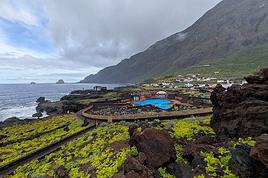 Storm in the Canary Islands
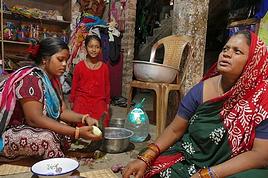 New adventures from Perpignan to Ranchi (Jharkhand)
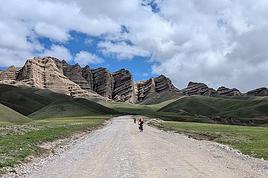 Breathtaking Kyrgyzstan!
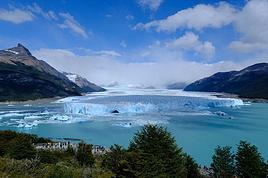 Argentine and Chilean Patagonia from El Calafate to Ushuaia
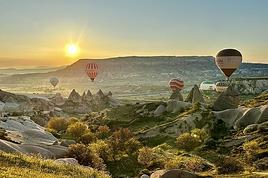 Turkey 2026: Riviera, Antalya, and Cappadocia
 Page by Page on the Assisi Way – 1,200 km on Foot
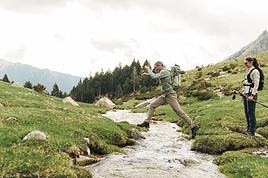 How to nail your trek in wet climates: which pants keep you truly dry?
 Densha Otaku - Lesser-Known Regions
 Hi everyone, fellow travelers!
I’m looking for anyone who’s in Kyoto or planning to visit Nishiki Market! Here’s the thing: during our trip there in April, we discovered a jewelry artisan (highly recommended!) on the left when exiting through the west exit of Nishiki Market (which is a long covered east-west street). I bought a piece of jewelry for my daughter there, but she lost it. I’d love to buy her another one! In the photo, it’s the shop with the yellow awning to the right of the restaurant with the blue awning, "Sushi Sakai." Would any kind soul be willing to get the shop’s name, email, or phone number for me? Despite my Google/AI searches, it’s nowhere to be found. A thousand thanks to whoever can help me out! Wishing you all great vacations!
Sabrina
Hi everyone, fellow travelers!
I’m looking for anyone who’s in Kyoto or planning to visit Nishiki Market! Here’s the thing: during our trip there in April, we discovered a jewelry artisan (highly recommended!) on the left when exiting through the west exit of Nishiki Market (which is a long covered east-west street). I bought a piece of jewelry for my daughter there, but she lost it. I’d love to buy her another one! In the photo, it’s the shop with the yellow awning to the right of the restaurant with the blue awning, "Sushi Sakai." Would any kind soul be willing to get the shop’s name, email, or phone number for me? Despite my Google/AI searches, it’s nowhere to be found. A thousand thanks to whoever can help me out! Wishing you all great vacations!
Sabrina