Hello everyone.
First and foremost, I hope this topic won’t just focus on my region—the South of France—and that those of you who enjoy exchanging ideas will share what makes your own regions special.
Personally, I’ve often wanted to push back when people call us vulgar (though I’ll admit I sometimes play it up). At heart, we pure-blooded Southerners just have our own way of expressing ourselves, which differs from other regions. We also get heated in conversations pretty easily (some researchers say it’s the influence of the sun and climate in general).
What some perceive as vulgar, we don’t see that way at all.
Do you want a uniform world with no differences? If so, how do you handle traveling to places with cultures completely different from your own?
In the travel community, the word "authenticity" comes up a lot, and it often takes priority in people’s searches.
In my specific case, speaking a purely regional language without having gone to school for it doesn’t help with understanding on this forum. That’s what creates what you call controversies—and what I call passionate exchanges.
I remember a reply from a member in this thread:
https://voyageforum.com/forum/ma-vie-en-camargue-pays-origine-en-colombie-pays-c-ur-d10778555/It left me speechless and ended the conversation because, for him, that’s just how he sees things, and he refuses to debate it, sticking to his position. I’ll quote him, hoping he won’t hold it against me:
"For me, things like bullfighting, boxing, football, and MMA are just tangible proof that human evolution is still at a primitive stage."
For him, our Latin-origin bullfights are barbaric customs. For us *taurins*, we need to see men face wild beasts (bulls and *toros*) at the risk of their lives every day. Does that make us barbarians?
We’ve always had this need to confront death—it’s in our genes.
Take the example he gave about football: fans of the sport would be considered mentally underdeveloped. But what about a kid who’s passionate about the game and has that drive to be a winner, just like a boxer or athletes in other violent sports?
As a traveler myself, passionate about old stones and beautiful historic buildings, I’ve visited Rome but couldn’t fully appreciate it. Religion is everywhere, and I felt like I had a lead weight on my head realizing that millions of people worldwide have believed in a god for millennia.
I’ve also judged believers for basing their faith on archaic texts that don’t prove a god (or gods) ever existed—I still think that, but I’m open to being proven wrong so I can say, "You’ve convinced me I was mistaken."
- If everyone clings to their own ideas and positions, no discussion is possible, and that’s a shame.
I’ll take away two things from my forum interactions: some accuse me of being omnipresent when I just love exchanging ideas. My way of speaking is misunderstood (regional differences), even if I’ll admit I sometimes turn up the heat—or rather, the *aïoli* —which for me is just lively debates 🔥 (a regional specialty).
And my "mocking" side, which I really need to work on.
This topic isn’t just about me—I hope other forum members will share their own regional "specialties" . For example, in Alsace, some older folks switch to their local language when they don’t want outsiders to understand, and I still don’t know if it’s German or something else.
https://www.marseille-tourisme.com/decouvrez-marseille/traditions/le-parler-marseillais/https://www.lexpress.fr/informations/accent-du-midi-ave-ou-sans_642635.html
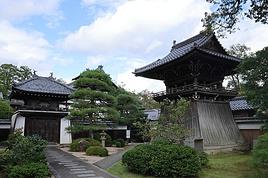 Densha Otaku - Lesser-Known Regions
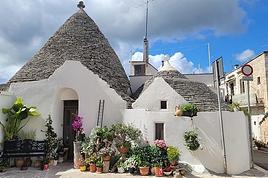 Two weeks under the Puglia sun
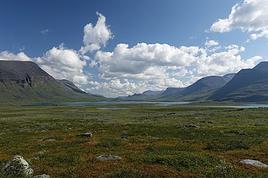 Return to Swedish Lapland: Trekking the Kungsleden and Crossing Sarek
 Off on a winter adventure in the American West!
 3 weeks in Laos, at a relaxed pace
 Draw Me Your Japan...
 South Africa in safari mode: February/March 2026
 Back in Tunisia (live account)