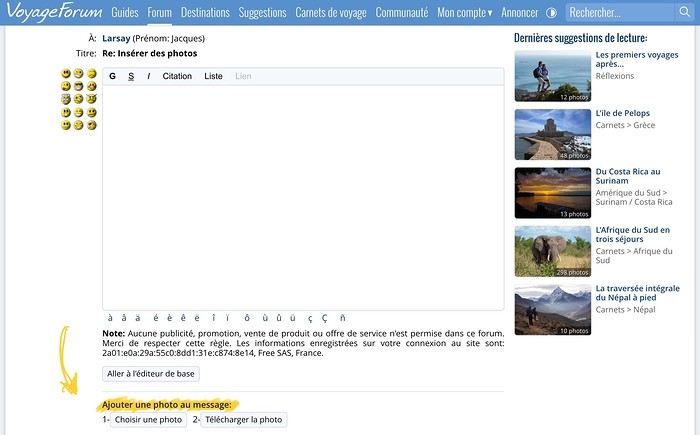
I did get the "Add a photo" option, which I do, but it doesn’t copy anything and just repeats the message
Before you add the photo, did you follow the preliminary steps (listed under the yellow scribble in Masterpo’s message)?
1: Select
2: Upload
Only after that can you insert the image into your post.
Once you’ve uploaded the photo and see it as a thumbnail, click in the body of your message and add it.
This lets the photo appear immediately in full size where you want it.
I’d love to share some ideas for exploring beautiful Sri Lanka—a destination that offers an incredible variety of landscapes and experiences.
From tropical beaches and elephant safaris to tea plantations, lush mountains, ancient temples, and nature hikes, there’s so much to discover on this island.
For those planning a trip to Sri Lanka, which regions did you love the most? Any tips on safaris, hikes, private transport, or multi-day tours?
Looking forward to swapping tips and discovering Sri Lanka with you!
Hello everyone!
As part of my MBA in Wine & Spirits at the Académie des Vins in Alsace, I’m conducting a study on the evolution of enotourism in France.
The goal is to better understand what attracts visitors, their habits, and their expectations when exploring our wine regions.
Whether you're a wine lover, a travel enthusiast, or just curious, your input matters. (Even if you’ve never visited a wine estate, you can take part!)
Anonymous survey / 4 to 5 minutes
To complete the survey:
https://docs.google.com/forms/d/e/1FAIpQLSc-loQM0O6NWvXRd6J1XrFXLBNbXHTcR5UT1JTFUnX4aeFK0w/viewform?usp=header
A huge thank you for your participation and for any shares! This will really help me with my study.
Note: No advertising, promotions, product sales, or service offers are included
2.16.1.2
Hi, we're planning a month-long trip to Vietnam and we've received a quote from a local agency (AGENDA TOUR VIETNAM CO.LTD). Does anyone know this agency and can tell us about it?
Many of us have noticed that bugs have been making it difficult to navigate the forum lately.
I’ll let Kate and Ticapi explain the issue:
I went to your profile to check out the Thailand travel journal, and when I clicked on it, it brought me back here again. All week, I’ve been dealing with bugs like this—it’s really discouraging from continuing on VF.🙁
I had the same thing happen, and multiple times. For me, it was Montagnard’s latest journal that kept coming up no matter which discussion I clicked on.
I left my heart’s country eight days ago and returned to my adopted one—or was it the other way around? Scotland-Morvan, Morvan-Scotland, I’m not quite sure anymore.
After a quarter without dragging my slippers around here, even though I’d loudly declared I had no interest left in this site, here I am again!
My imagination never stays fallow for long. Just enough time for my inner land to rest. It gets overgrown with fresh nettles, the kind you can pick without getting stung. Then, it’s time to till the fragrant earth and let the story grow.
I hesitated over where to set this story.
Maybe the Highlands, maybe the Hebrides, maybe the Orkney Islands, maybe the Shetland Islands. All of Scotland is myth—easy to embroider.
But in the end, no. I’d almost be too afraid to bare my soul.
The story will take place at home. Simple, practical.
1)
This morning, I was up well before dawn, feeling a bit grumpy, but nothing a bowl of coffee won’t fix. I love my bowl, and no one dares take it. It’s porcelain, edged with intertwined blue flowers. On the bottom, it says "Revol." The factory has existed long before the Revolution. It was my great-grandmother’s bowl. She drank roasted barley from it during the war, then her Leroux chicory.
Last year, a little guy dropped it. My bowl broke into three pieces. A black anger vibrated deep inside me. The little boy was so upset, on the verge of tears. How could I scold him!
I picked up the three pieces and took Little Boy in my arms. His hair smelled of the light, sweet sweat of toddlers. A gentle hug that healed—his budding sorrow and my anger—everything vanished, and time carried on.
Today, my bowl is even prettier. Man fixed it using the traditional kintsugi technique, except he didn’t use gold powder or lacquer but superglue, and he delicately painted the cracks with woad blue. And my bowl is even more beautiful now.
I’m lingering, I can tell—it’s just that a story wraps itself in life, and life can’t be told in the snap of a finger. Life is long. Like in architecture, you start with a rough sketch, called a "sous-cul" (the initial pencil drawing), then you make a tracing, which is the work itself, the one you later carefully roll up in a wooden tube.
Life is like that: you erase, you start over, you use the nub of the pencil until it’s tiny, but you keep going—dreaming, loving.
"Living is a full-time occupation, a unique adventure. Always a surprise and a wonder, which sometimes turns into astonishment. And, from time to time, happiness."*
Alright, enough digressing—this introduction is definitely too long.
Tomorrow, I’ll get to the heart of the matter.
(I hate that expression; it feels like I’m cutting into someone’s skin.)
I panicked a bit about this during my last trip. My phone said it was connected to the network but had no data. Turns out the issue was with the APN—I had copied an APN code from a Vietnamese operator I found on a forum, thinking it would help, but it actually broke my connection on a travel eSIM. I removed it, reset to default, and it worked right away.
Also, FYI: it’s normal for a travel eSIM not to activate until you’ve landed and turned airplane mode back off. Don’t panic and delete the profile before landing—it’s not broken.
In November-December, we’re planning a 6-week road trip in Morocco, spending two-thirds of the time south of the High Atlas and away from cities. We’ll be staying in gîtes, kasbahs, riads, and the like—no big hotels. Usually, we stay 1–2 nights in the same place.
Six weeks means we’ll need to do laundry at some point, so here’s our question: Can we generally count on finding a washing machine/dryer in these accommodations? Or should we look for a laundromat or *lavandería* (are there any?)?
Worst case, we’ll hand-wash with a tube of detergent, but we’d rather avoid that if possible…
If you’ve got experience with how laundry works in the area, we’d love your tips!
Thanks everyone! !
I’m planning a 3-week trip to Japan in May with Voyage Privé. The package includes a 5 GB eSIM, but my phone isn’t new enough to support it. VP told me I could buy a SIM card when I arrive at the airport.
Sure enough, I’ve seen online that this is possible with different providers.
I only need it for checking routes, looking up addresses, train schedules, etc.—basically using Google Maps, TripAdvisor, and similar apps. No heavy downloads or major internet use. All hotels should provide free Wi-Fi for that, right?
Has anyone got any tips for me on this? What have you tried, and how much did it cost?
Thanks for your help!
Hi, I'm Pierre and I've just finished a Master's in Earth and Environmental Sciences. But I don't feel like jumping straight into working life (permanent contract, big company, and all that comes with it...) and I'd love to travel for several months. It was a gap year during my first year of my Master's with a 6-month Working Holiday Visa (solo) in New Zealand that gave me a taste for travel and adventure.
This time, I'd like to make this project happen not alone but with my girlfriend, who's finishing her studies next September.
I have a lot of questions about returning to work after this and the famous "gap" in my CV. If this project goes ahead, I'd be applying for jobs about 1.5–2 years after getting my degree. In the meantime, I'd like to apply for short-term contracts in my field to gain some experience, but the opportunities are very limited, if not non-existent, with a Master's degree...
Personally, I'm convinced that these travel experiences are a plus, but I'm less sure about how recruiters see it...
I feel a bit lost between my deep desires and the reality of the job market.
If anyone has any feedback or a similar experience, I'd love to hear it! :)
In 1985, the film "Out of Africa" was released, which inspired me to visit Kenya for the first time a year later.
My passion for animals in their wild and natural habitat, and thus for safaris, was born while watching this film and appreciating Robert REDFORD’s acting.
Of course, the film’s director and Meryl STREEP also contributed greatly to this wonderful movie.....
In a way, I owe him this passion, and I thank him for it.
Sometimes, during safaris, when we had our breakfasts in the middle of nature, in one reserve or another in Kenya or Tanzania, I often thought of him.
May he rest in peace, far from our world of madness.
Thank you for EVERYTHING, Mr. REDFORD.
( In three weeks in Kenya, I think I’ll often be thinking of him....... )
Hello
In some Polish cities, seniors benefit from free public transport. My question is: does this also apply to EU foreigners? On paper, yes, but I know some travelers have run into unsympathetic inspectors in the past who refused to grant this discount to non-Polish people. That said, these situations are a few years old now. Thanks for sharing your experiences!
Traveling by plane between Southern Corsica and Paris? Whether it's a one-time trip or regularly, accompany one of our kittens during the journey to their forever home. The repatriation of our rescued street kittens is made possible thanks to travelers like you. No worries: you'll be guided every step of the way to complete this mission.
The in-cabin pet ticket is covered by our association, and reimbursement for expenses is possible (depending on the kitten's drop-off location, so let's discuss this beforehand).
Available and motivated to make this one-way trip with a cat and change their life?
Contact us before your next trip: https://assopacci.com/contact/
Hi everyone, fellow travelers!
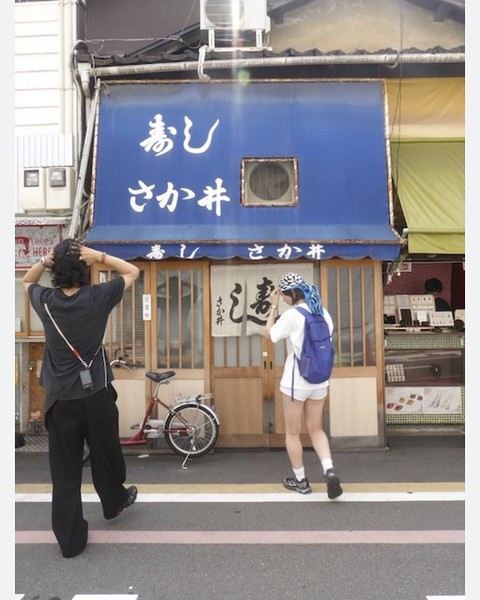
I’m looking for anyone who’s in Kyoto or planning to visit Nishiki Market! Here’s the thing: during our trip there in April, we discovered a jewelry artisan (highly recommended!) on the left when exiting through the west exit of Nishiki Market (which is a long covered east-west street). I bought a piece of jewelry for my daughter there, but she lost it. I’d love to buy her another one! In the photo, it’s the shop with the yellow awning to the right of the restaurant with the blue awning, "Sushi Sakai." Would any kind soul be willing to get the shop’s name, email, or phone number for me? Despite my Google/AI searches, it’s nowhere to be found. A thousand thanks to whoever can help me out! Wishing you all great vacations!
Sabrina
Hello everyone! 🙂🙂,
A BIG thank you to all the travelers who sent us postcards this year—my students are becoming real geography whizzes!!!!!!!! I’m renewing my call for your kindness this year! We’re also working on food, so if your postcards can make our mouths water with local dishes, traditional meals, or typical recipes, that’d be amazing!!
Here’s a quick recap of the project:
I’m reaching out to all travelers and globetrotters on this forum. I’m a teacher in Creuse, working in a ULIS program (which welcomes children aged 6 to 12 with disabilities into a mainstream school). This year, I’m starting a school journal project that will involve the kids in many different topics. A big part of the journal will focus on opening up to the world, diversity, travel, countries, culture...
I’m launching a call to invite as many of you as possible to send us a little postcard (from France or anywhere in the world!) to take us on a journey and help us discover new places, countries, and horizons—much more fun and exciting than a regular geography textbook! One section of our journal could be called "We received mail from " and would be an opportunity to research that location and share what we learn with our readers (a super enriching activity in class).
The project starts in September 2025 but has no real end date, as this journal and world discovery initiative will span several school years (the kids stay in my ULIS program for multiple years). Postcards can be sent anytime—throughout the year, across seasons, even during holidays! (The kids will find them when they return.)
I hope this idea appeals to as many of you as possible and that you’ll spread the word to your fellow traveler friends. Make us dream, take us on a journey!!!
For those who’d like to write to us in a language other than French, no problem—quite the opposite!!
Thank you in advance for your participation(s)! Below is our address. Feel free to leave your own address on a corner of the postcard if you’d like us to write back! 😊
The ULIS program students
Bonnat Elementary School
12 rue Georges Sand
23220 BONNAT
Thank you, and see you soon, I hope! 😁
Julien
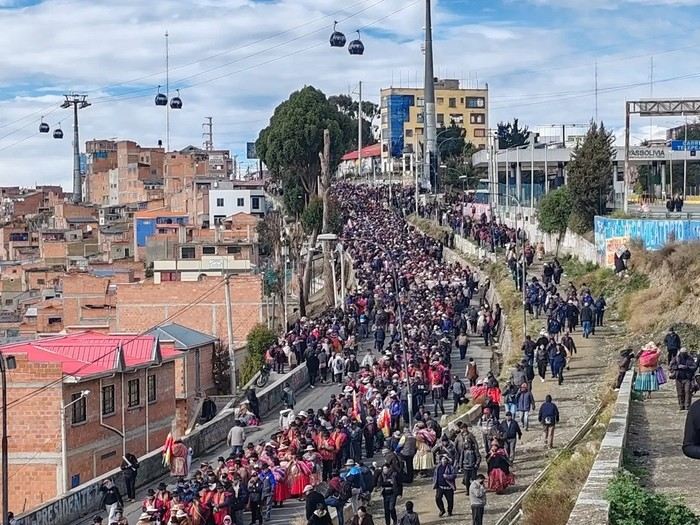
BOLIVIA: THE COUNTRY ON THE BRINK (What's Really Happening)
A dramatic saga is unfolding before our eyes in the Andes. Between suffocating blockades, clashes, an international airlift, and historic political decisions, Bolivia has just experienced 48 hours of rare intensity.
Here’s the full breakdown (economic, social, and political) of the last 48 hours:
For travelers and tourists: the article also includes an important note about the upcoming publication (starting tomorrow) of the precise status of roadblocks, route by route.
I’ll post the full update here on Voyage Forum!
Don’t miss this in-depth analysis. History is being written before our eyes! https://www.petitherge.com/bolivie-paralysie-et-ultimatum
I just discovered a great show on Arte.
It's called "7 en route": seven young European journalists travel around Europe in a fully converted bus, making reports on every city they visit. It's amazing! 🙂
Yesterday, for example, they were in Rome, Italy, and the reports included things like the world's smallest restaurant—a super romantic spot for two. There was also a report on the king of paparazzi in Italy.
They have to pick topics that let us discover the little quirks of each country. And at the end of each episode, we get to see the finished report.
It's such a great show, mixing journalism, travel, and discovery—basically, a must-watch!
It airs in the evening starting at 6:50 PM (I think), and it started this past Monday, July 14th.
If you watch it, let me know—we can chat about it!
I’m Yann, a 28-year-old TikToker who loves traveling!
Since I’ve been to several destinations, I’d love to get a flag from each one as a sort of trophy. But from what I’ve seen online, a lot of sites sell them with what looks like really poor quality...
So I’m reaching out to you all to share a site you usually use—help me start my collection! :)
hi there
I’d love to get some opinions—I’ve never used Airbnb before.
They’re offering a key handover via lockbox.
Any tips or advice?
Is it reliable?
Best,
Hi there, I’m Laura, and I’m looking for a few people to answer some questions so I can understand your travel wishes and challenges. It won’t take long—I can chat here, by email, or by phone. Don’t worry, I’m not selling anything! 😊
On this forum, we talk a lot about trekking in the Himalayas, but I’d love to share another side of Nepal: its spiritual, cultural, and religious atmosphere, especially in Kathmandu.
Nepal, much like Tibet and Bhutan, is deeply connected to the Himalayas—the ultimate sacred mountain range. This small country exudes a calming vibe, shaped by a strong spiritual dimension. What I loved most was the unique sensory experience you get there. Walking around temples and tantric monasteries, a distinct scent fills the air—aromatic plants used for ritual fumigation. Locals mainly burn Himalayan juniper, cedar, sandalwood, and other local essences. This fragrant smoke is a way to purify the space and reach the deities, and you’re constantly enveloped in these aromas.
Another striking aspect is the sound. As soon as you step outside, you hear bells ringing in front of temples. People ring them three times before praying to announce their presence to the deities. Nepal is also the birthplace of singing bowls and sound meditation practices. In Kathmandu, you can easily find meditation sessions or "sound baths."
The spiritual dimension is everywhere: a Hindu sadhu practicing asceticism, a lama in deep red robes with his mala, turning a prayer wheel while murmuring "Om mani padme hum." Newar Buddhism, Tantrism, and Hinduism coexist harmoniously in daily life.
For those who love exploring a destination through its culture and spirituality, Nepal is an unforgettable place. What was your spiritual experience in Nepal like?
Hi,
I’m landing in Quebec and then heading to New Brunswick and Nova Scotia. I’d like to rent a pick-up. My question is: does this vehicle come with a cover and is it secure enough to store luggage in? I’ve heard two conflicting opinions. Thanks
I just installed the Maps.Me app on my phone. I only recently found out about this app. I’m traveling in 2 weeks and a few days, and I’m a bit stuck on how to use it.
I’m from the Montreal (Quebec) area, and I’d love to know if there’s a kind soul out there who could help me get started and use the app at least minimally.
If there are private lessons available, I’d be interested in those too.
Like many others, I’m overjoyed to hear that VoyageForum is reopening! I’ve been waiting hopefully for this, and it’s wonderful that it’s finally happening!
I just couldn’t bring myself to actively participate in other French-language travel forums—their format and way of doing things never appealed to me as much. I really hope that VF’s structure, categories, and interface won’t change too much despite the handover, because I’m very attached to them. Through thick and thin, the site has held strong—it’s amazing!
In a previous message, François mentioned that there were positions to fill ahead of the reopening, including moderators...
I’ve been eagerly waiting for this and hoping to send in my CV.
Now, after reading the latest message, it seems like the team is already fully formed. But are there still a few spots left to fill?
I’ve been a VF member for 20 years (since 2004). I’d love to contribute to this wonderful adventure as a moderator if VF would trust me with the role. If the team is open to reviewing it, I’m ready to send my CV. Could you let me know the next steps?
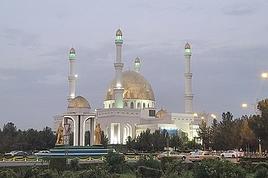 A Few Days in Turkmenistan from Uzbekistan
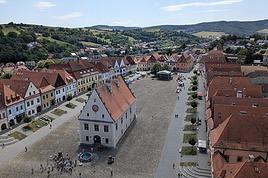 Slovak travel journal
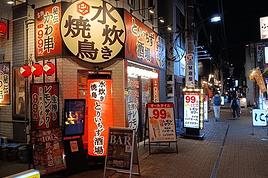 14 Days in Japan – September-October 2026
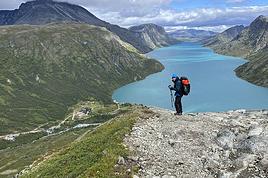 Hiking in Norway: Jotunheimen and Dovrefjell, you’ll adapt to the rain...
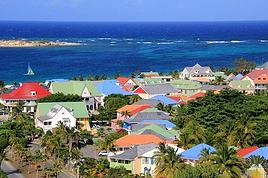 CARIBBEAN: The island of SAINT-MARTIN, a different perspective
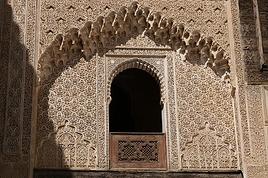 Northern Morocco, the kingdom of kif?
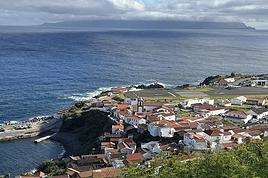 Summer 2026 - 3 weeks in the Azores
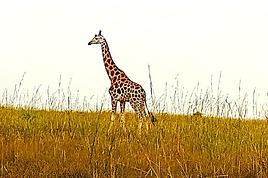 The Pearl of Africa - July-August 2026


 Hi everyone, fellow travelers!
I’m looking for anyone who’s in Kyoto or planning to visit Nishiki Market! Here’s the thing: during our trip there in April, we discovered a jewelry artisan (highly recommended!) on the left when exiting through the west exit of Nishiki Market (which is a long covered east-west street). I bought a piece of jewelry for my daughter there, but she lost it. I’d love to buy her another one! In the photo, it’s the shop with the yellow awning to the right of the restaurant with the blue awning, "Sushi Sakai." Would any kind soul be willing to get the shop’s name, email, or phone number for me? Despite my Google/AI searches, it’s nowhere to be found. A thousand thanks to whoever can help me out! Wishing you all great vacations!
Sabrina
Hi everyone, fellow travelers!
I’m looking for anyone who’s in Kyoto or planning to visit Nishiki Market! Here’s the thing: during our trip there in April, we discovered a jewelry artisan (highly recommended!) on the left when exiting through the west exit of Nishiki Market (which is a long covered east-west street). I bought a piece of jewelry for my daughter there, but she lost it. I’d love to buy her another one! In the photo, it’s the shop with the yellow awning to the right of the restaurant with the blue awning, "Sushi Sakai." Would any kind soul be willing to get the shop’s name, email, or phone number for me? Despite my Google/AI searches, it’s nowhere to be found. A thousand thanks to whoever can help me out! Wishing you all great vacations!
Sabrina