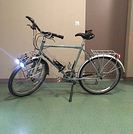
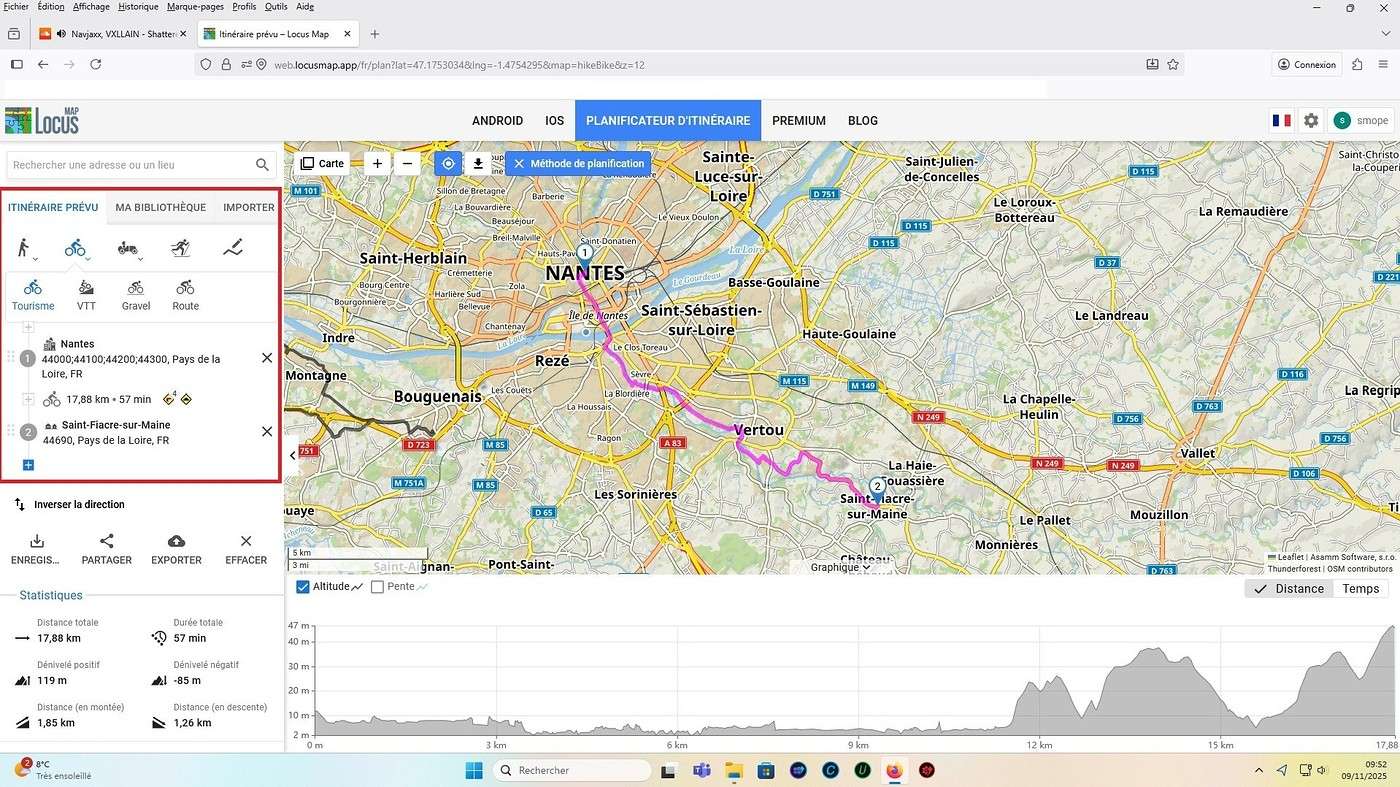
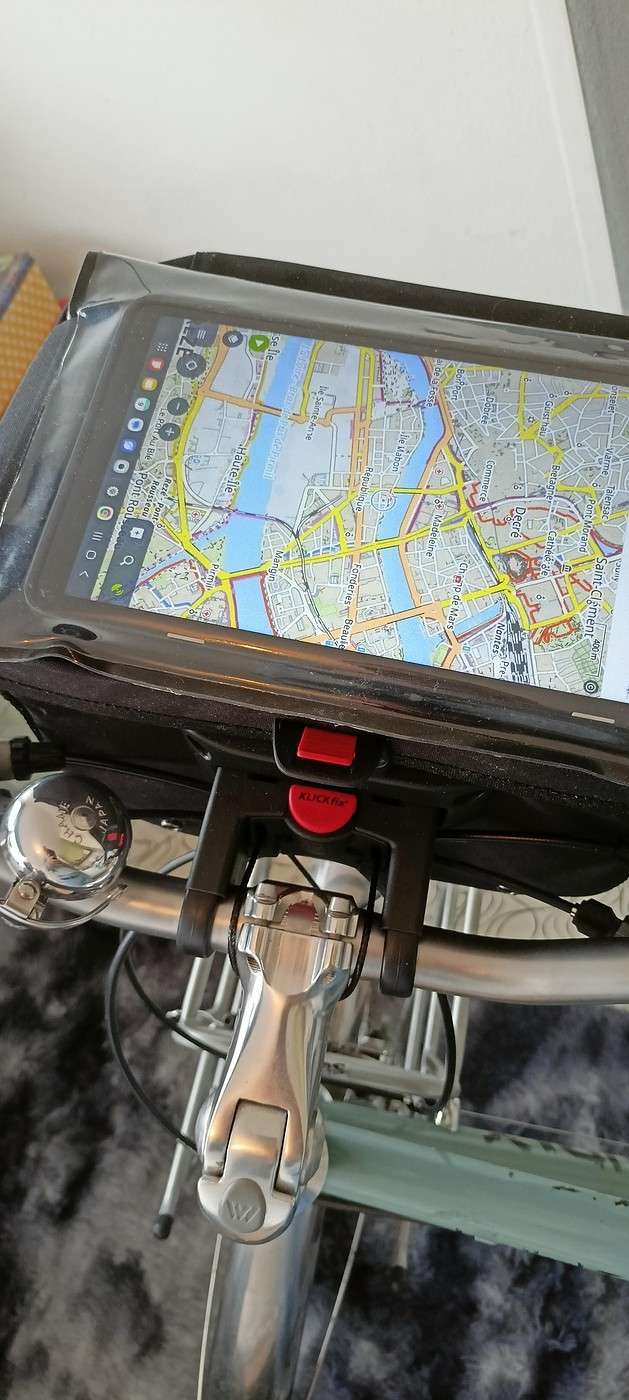
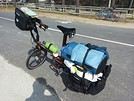
I got a handlebar bag for my bike with a KlickFix system and a Galaxy Tab A tablet. I can fit the tablet into the waterproof transparent pouch on the bag—it’s absolutely awesome, I’ve got my dashboard right on the handlebar! I’d like to use Locus Map for geolocation and create a route from Nantes to Saint-Fiacre-sur-Maine.
On my PC, with Locus Map, I see the interface on the left to create a planned route (like in the red-framed screenshot below). But on my tablet (using the app), I can’t find the interface to create a planned route from point A to B like I can on the PC. I need help figuring out how to create a route from A to B on my tablet with Locus Map—I know how to find and download a GPX file, but for Nantes to Saint-Fiacre-sur-Maine, there’s no GPX file available online.
Also, does anyone know how to remove the ads on Locus Map?
But for Nantes Saint-Fiacre-sur-Maine, there’s no GPX file online. Also, would you know how to remove ads on Locus Map?
Hi! For the route, there isn’t an existing one, so you’ll have to create it yourself.
As for the ads, you need to pay for a Silver or Gold subscription.
J'essaie de me familiariser avec un itinéraire sur Locus Map. Le problème est que la géolocalisation de Locus Map n'est pas précise sur mon PC. Sur le lien, la…
J'ai désinstallé Locus free de mon smartphone croyant qu'il était la cause de sa lenteur (LG G7.) Il n'y est pour rien, j’aimerai bien le réinstaller mais je…
J'ai installé Locus et Brouter sur mon smartphone. Puis j'ai téléchargé des zones de carte grâce au très bon tuto de Cyril Par contre je ne parviens pas à…
Qui utilise openrunner et locus (smarphone) pour programmer des parcours. Les 2 indépendamment sont parfaits (sauf le smarphone en plein soleil). Mais est il…
I’ve got my flight ticket sorted—departing in mid-November and returning in mid-March. I’ll arrive in Santiago and leave from Buenos Aires.
I’ve already been to southern Argentina, specifically Torres del Paine National Park, and I’d love to go back to do the full W trek (I only did the shorter version last time).
I also want to do some hiking and maybe even tackle a summit. I climb and occasionally do some mountaineering, so I’ll definitely be going with a guide.
I plan to start around Temuco in Chile, with the idea of heading toward the lakes, then taking the Carretera Austral.
I’m not sure if I’ll go all the way to Ushuaia—it’s supposed to not be *that* worth it, except for the bragging rights of saying you’ve been to the end of the world.
I saw there are lakes in Argentina too.
I don’t have a precise itinerary, but what I’d love is, once I reach the southernmost point of my trip, to take a mini-cruise to see some wildlife. Any tips for that?
What kind of sleeping bag did you take? Is a 0°C (32°F) one enough?
And one last question: white gas stove or can I get by with my gas stove?
I'm developing a free and open-source web app for planning walking and cycling trips (and even car trips). You can create a route by clicking directly on the map to add waypoints, and it can consist of multiple stages. The app provides tools to edit the stages and the overall route, and to display useful information (distances, altitudes, and elevation changes). A relief profile can be shown as a graph for a specific stage or the entire route.
Once the route is ready, it can be exported as a GPX file, which can then be used with a GPS or a mobile navigation app.
The app is built in JavaScript and runs entirely in the web browser. It uses the Leaflet library and several OpenStreetMap-based services. Initially developed for my personal needs (I enjoy hiking and cycle touring), I’d be happy to share it with anyone who might find it useful. It’s free to use, doesn’t require an account, and the source code is available.
😎Fellow traveling cyclists or not, all of you who love travel, the pleasure of physical effort, nature, beautiful machines, people with true passions they seek to fulfill, and who also enjoy reading great literature about all this—the *200* magazine is for you just as it is for me. I should mention I have no financial or other interest in this (in an era where we accuse our politicians of all sorts of vile interests, I prefer to take precautions). I’ve been subscribed since the beginning, and every three months, I get my 130 pages of dreams (the magazine just went from 110 to 130 pages).
It covers everything from the trans-America route to the TCR (Trans Continental Race) from Belgium to a small town in Turkey, with mind-blowing averages—4,000 km and 80,000 m of elevation gain in 8 days and 15 hours for the winner. Let that sink in, and all of it without assistance—accepting a patch could penalize you. There’s also a story about crossing Iran, encountering one of the world’s most welcoming populations, following in the footsteps of Nicolas Bouvier, as well as retirees leisurely traversing France. The common thread in all these stories? Beautiful writing. Take, for example, a stunning article: *"Passengers of the Cold: From Edinburgh to Thurso, at the very north of Scotland, 550 km of moors, coasts, and icy wind. In Thurso, the road ends at a quay, facing the Orkney Islands. We wanted a November trip, off-season. We wanted to surprise winter. Just before the snow."* A sublime piece on the experience of facing adversity and the chance encounters along the road and in the elements.
Before I embarked on my own bike trips, I dreamed a lot about them—from the Atacama to the Gobi, along the Mekong, and not forgetting France. And now, these 130 pages every quarter keep those dreamy vibes alive through stories written in the most beautiful prose.
I’ll stop here because it might sound like I’m advertising, but if you don’t know *200*, I invite you to discover it. It’ll give you wings for the most incredible challenges or simply reinforce your desire for slow rides with your eyes open to others and nature.
A little news to wrap up: Axel Carion and a friend just broke the record for crossing South America from Colombia to Ushuaia in 59 days. On its own, that doesn’t mean much, but I can’t help it—it makes me dream. You should see how he talks about it, the flashes of that wild nature he’s stored away: a snowstorm at Paso Jama and the surreal sight of the suddenly snow-covered Licancabur!
Luc
PS: The magazine is called *200* because a day’s ride starts at 200 km—well, I’ve never done a ride like that since my longest was 167 km (with 18 kg of luggage, mind you), but why not one day? The magazine will explain how to tackle your first 200, and then the question in conclusion: when will you do your first 300?😏
hello fellow cycling enthusiasts
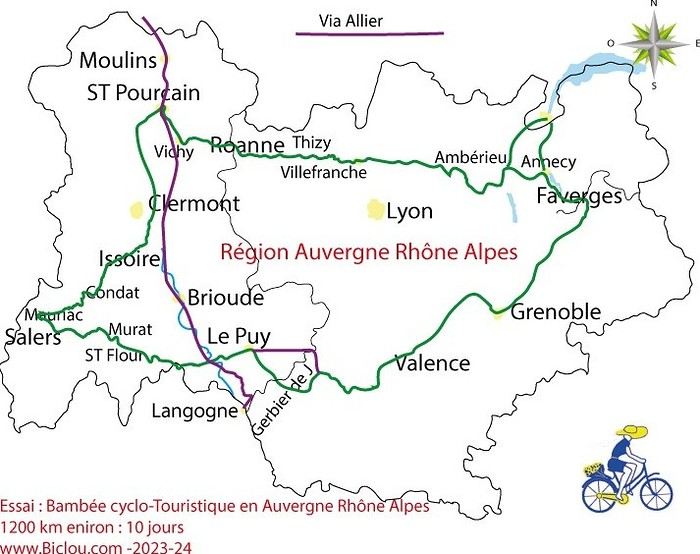
here’s a travel journal of the cycling tour through the Rhône-Alpes Auvergne region by Claudio
zouli
it was the plan
http://cbandiera.free.fr/parcours/auvergne-Ralpes/
the trip was completed
story being posted online soon
1100 km in 11 days
beautiful and varied regions
Hello,
We’d like to go on a 3- to 4-month bike trip starting in December, crossing from Assam (northeast India) to New Delhi via Nepal.
Are there routes with light traffic along the Brahmaputra and through Nepal?
We’re also looking for any info on accommodations, wild camping, local interactions, etc.
Thanks,
Michel
Hello,
Has anyone here had experience using a gas stove in Sardinia and Sicily? I’m wondering if screw-on gas canisters (not the blue Campingaz ones, but brands like Coleman, Primus, etc.) are easy to find.
I’m planning to cycle from Morlaix to Brest (via Roscoff and the V45 coastal route). We’ll start riding on August 16th for 13 days (with stops for island visits, surfing, etc.). Is there a lot of traffic at this time of year? I’ve got two kids, 11 and 13, and we don’t like riding in the middle of cars (we’ve already done the Vélomaritime—Caen to Cherbourg—the Loire route from Orléans to Saumur, the Vélodyssée from Nantes to Royans, and the canals like the Nivernais and Bourgogne, where there were plenty of bike-only lanes, which isn’t the case on this route).
Thanks for your help if you’ve already done this route in late August!
Virginie
Hi there,
I’ve been road cycling for several years, and I’m about to switch to gravel in the next few days—I’m waiting for my bike, which should arrive this week.
I’m planning a bikepacking trip in a few weeks along the Véloroute V81, also known as the Vélosud, from Biarritz to Le Barcarès.
Has anyone here already done this route? Any info is welcome, whether it’s about the route itself, gear, or accommodation. I’ll prioritize staying with locals as much as possible. On that note, I just signed up for the brand-new site *Guidon et Couette* ((www.guidon-et-couette.fr)), which offers free accommodation between cyclists across the country, but there’s almost no one listed along my route!
Thanks in advance.
Laurent.
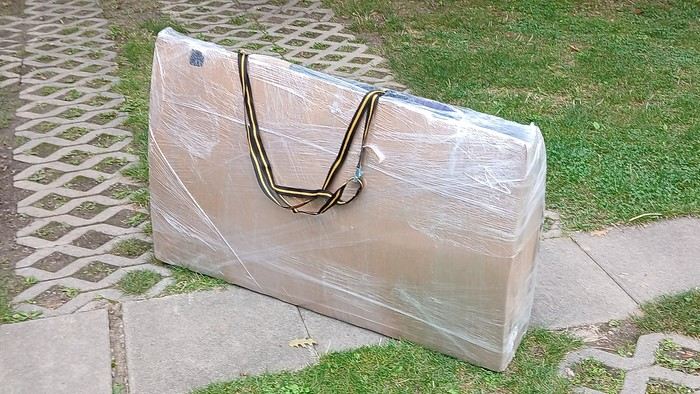
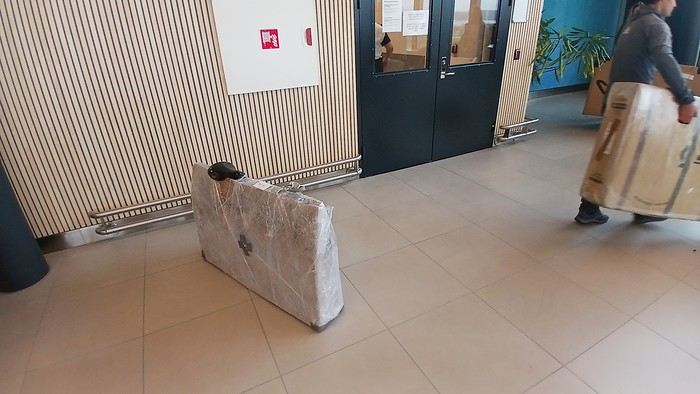
After testing it for three years across various modes of transport, I’m sharing this video of a bike packing case. It’s made from recycled cardboard and shrink-wrapped, with adjustable thickness and added bubble wrap depending on the level of protection you want.
Installing spacers at the fork and chainstays makes the packaging compact. With the fifteen-odd euros for shrink-wrapping at the airport, this case travels really well.
https://youtu.be/_GDJi-GqmkM
- Low bulk (1.10m x 0.70m x 0.25m for a large frame), it fits vertically in train luggage compartments and the total dimensions (x+y+z) don’t exceed 2.40m.
- Two carrying solutions for public transport and easy handling by airport staff (no more tears in the cardboard from openings).
- Discreet packaging when dealing with bus drivers and train conductors, as it looks like an ordinary parcel.
- No need to return to the starting point to retrieve the case from your outbound trip, which you’d otherwise have to store somewhere, or deal with a bulky cover to pack in your panniers.
- You can still check tire pressure through the plastic film without damaging the packaging too much.
Drawbacks: Around 3 hours for this lengthy and meticulous process—removing the wheels, pedals, handlebars, and derailleur without misaligning them, then securing all components to the frame.
If you get a chance to test it, send me your feedback for future improvements.
Hi there, I’m planning a cross-Canada bike trip, and I’ve got a question that might seem silly, but could someone tell me how to pack a bike (in a box, with a fragile sticker... I don’t know) for a flight? Thanks in advance!
This summer, we’re planning to cycle along the EV 19 that follows the Meuse River from Langres all the way to Rotterdam.
My question is about getting back to Nantes.
Do any of you know what the best return option might be? I’d love to hear about your experiences.
I saw that FlixBus doesn’t take bikes.
By train, I think it’s possible but would involve multiple local trains.
We were also wondering if there’s a boat from Rotterdam to Saint-Nazaire that could take passengers with bikes.
Any tips or experiences you can share would be really helpful—thanks in advance!
Have a great evening
I’ve gotten used to crossing Europe by bus to return by bike.
It was really convenient to take the bike without having to disassemble it.
But FlixBus no longer accepts bikes...
What alternatives do you know about?
Thanks.
Hi there,
I’m planning to ride the Dutch section of the EuroVelo 19, from Maastricht to Rotterdam.
Since it’s too complicated to bring my bike on the train, I’m looking to rent one locally.
I’d love any tips or bike rental shop recommendations—I’m struggling to find options even in Rotterdam.
The plan is to rent in Rotterdam, take the train to Maastricht with the bike, then cycle back to Rotterdam.
Thanks in advance for any advice or suggestions!
Nath
I’m planning to build a new touring bike.
I want to prioritize lightness.
That said, I’m tempted by a suspension fork that could offer some comfort on rougher roads.
The recent appearance of gravel suspension forks on the market might meet my needs—at least on paper.
I’m particularly considering the RockShox Rudy Ultimate XPLR fork.
Unlike MTB forks, its travel is short: either 30 mm or 40 mm.
It weighs 1400 g, which is 400/500 g more than a steel fork.
Any thoughts or real-world feedback on this?
I’m also wondering about the durability of magnesium (lower leg) for long-distance bike touring.
And what’s the impact of skipping the manufacturer-recommended maintenance every 50 and 200 hours? That’s bound to happen on a long trip unless you carry extra gear.
More generally, how reliable are these kinds of forks?
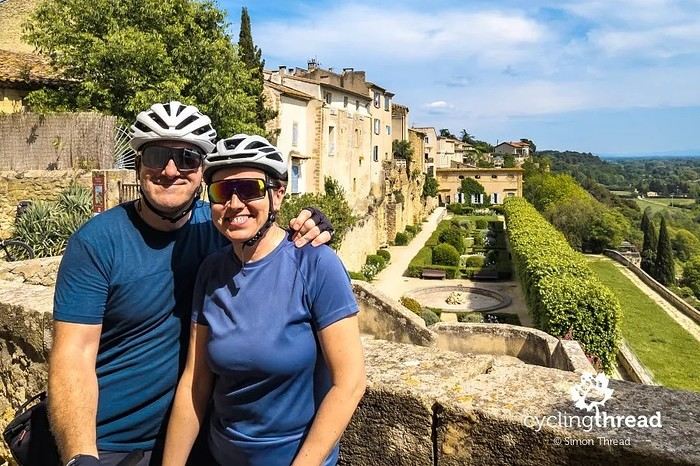
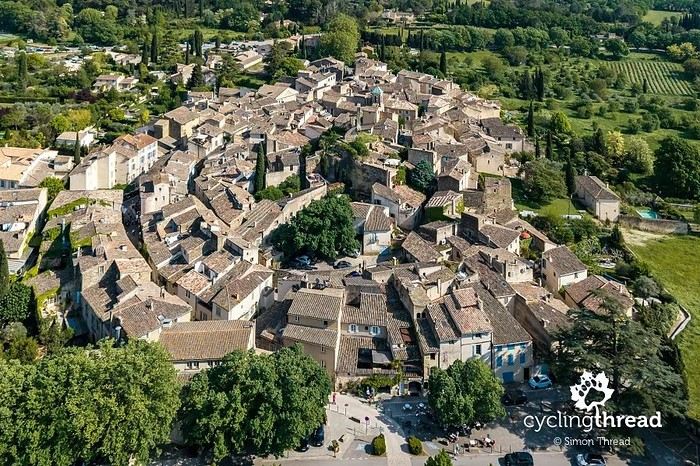
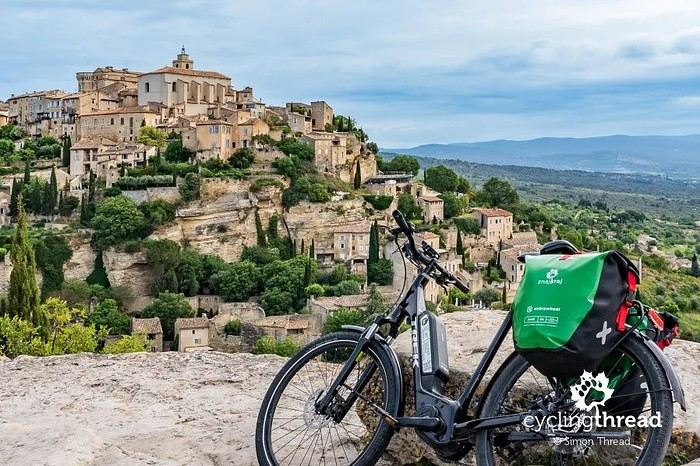
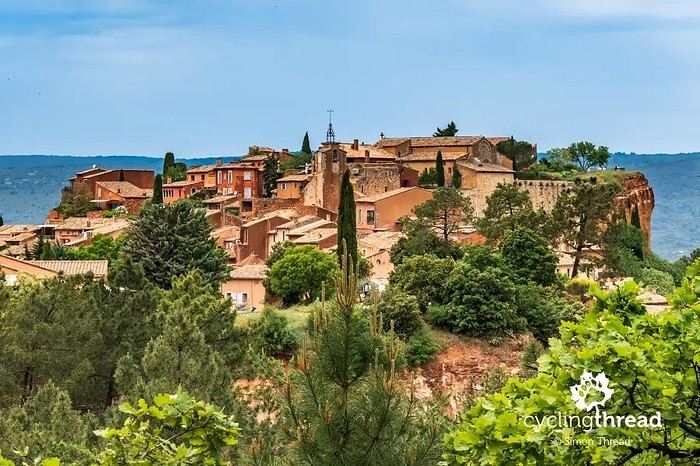
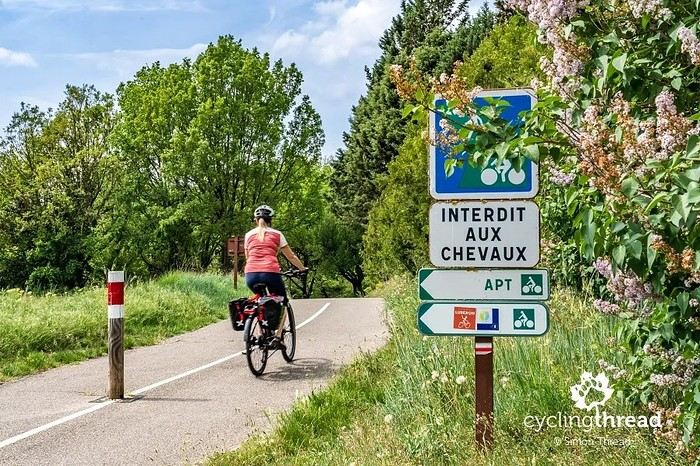
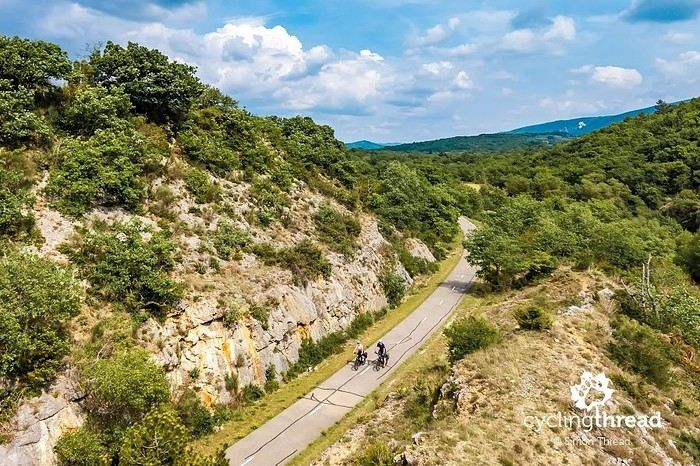
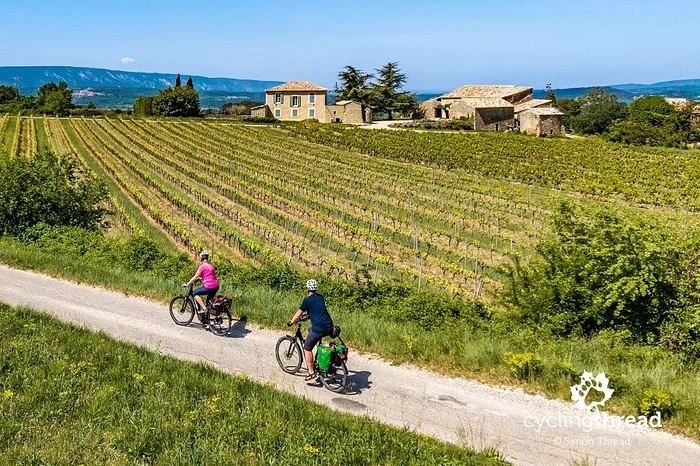
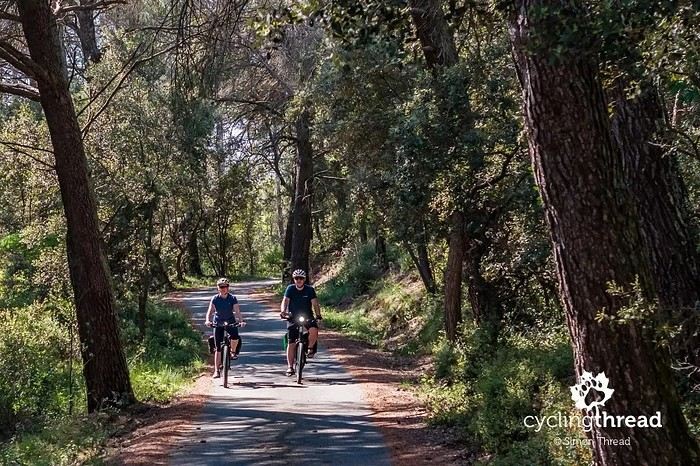
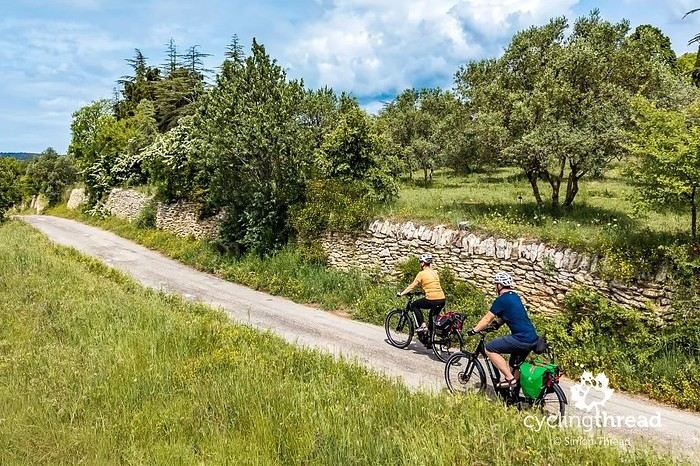
I’m making an exception and creating a separate post this time, since it’s all about France. In May, we spent a week in Provence, specifically in the Luberon, exploring the cycling routes *Autour du Luberon à Vélo*, the *Véloroute du Calavon* (part of EuroVelo 8), and the shorter *Les Ocres à Vélo* route. Together, they gave us an amazing journey through rolling hills, vineyards, lavender fields still green in spring, and some of the most stunning landscapes in southern France.
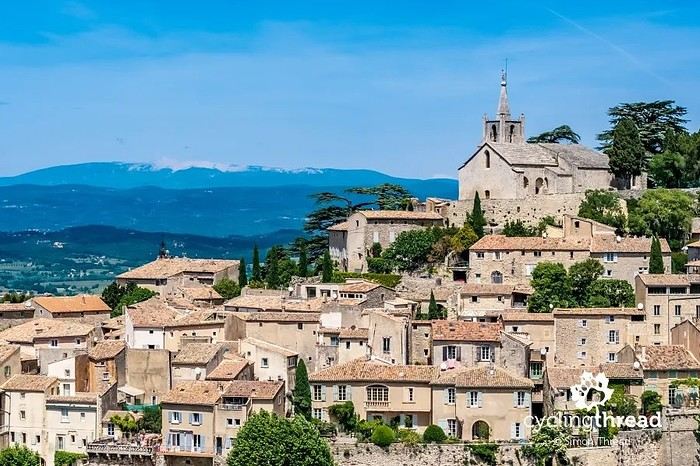
It was, of course, the perched villages that impressed us the most. We visited Gordes, Roussillon, Bonnieux, Lacoste, Lourmarin, Ménerbes, Oppède-le-Vieux, Cucuron, and Lauris. Many of them are among the most beautiful villages in Provence, and it’s hard not to agree with that reputation.
One interesting point is the route of EuroVelo 8 in this part of the region. The official path mainly follows the old railway line of the *Véloroute du Calavon*, which is very comfortable and safe. But in our opinion, cyclists traveling EuroVelo 8 around the Mediterranean would discover even more treasures if the route passed through villages like Bonnieux, Lacoste, or Oppède-le-Vieux.
We were also pleasantly surprised by how safe cycling felt. Most of the route takes small local roads, but traffic is light, drivers are respectful, and road design really takes cyclists into account. It’s one of those places where you can ride peacefully even without separated bike lanes.
Our full story:
Around Luberon by bicycle - the most beautiful villages of Provence
You can also find all our cycling travel stories on the forum:
Cycling Thread - Europe’s most beautiful bike routes
Hi there, we’re a group of 4 cyclists looking to get from Treviso in Italy to Munich with our 4 non-folding bikes. It seems complicated! Are there any solutions? Thanks so much.
Hi there, we’re planning a Munich to Venice bike trip at the end of June 2026. Getting back from Venice to Toulouse by train with 4 bikes isn’t straightforward. What return options have others who’ve done this trip chosen? Any tips or great deals would be much appreciated. Thanks a bunch! !
Hi everyone,
Happy owner of a Pegasus Estremo bike with a Rohloff hub, which is giving me trouble with the SF11-NCX-FT-E-LITE 700C TS 300/0 fork (serial number TD01329060). It’s starting to show its age, and I’d like to repair it to extend the life of my beloved bike.
The suspension is gone, and there’s an oil leak from the seals.
Does anyone know how to repair it? Where can I find parts that are about fifteen years old? Or where to find an identical replacement fork? Just to clarify, the Magura HS11 brakes are mounted using Firm Tech, meaning they’re on pivots behind the fork, facing the frame.
Hi, I'd like to know if anyone has done this route recently or has reliable info.
Does the track exist, and most importantly, is there sand (for biking)?
Any info is welcome.
Cheers,
diego ambilobe: mangaoka, manondro, ramena
vohemar sambava: masondrono, tanambao
Hi there,
New to bike touring,
I’d love to start with a section of the Via Rhona to explore and share (route to be decided).
Looking forward to exchanging tips!
I’m landing in Madagascar with a buddy before the end of April 2026. We’re planning to bike around for about twenty days or so. We don’t have a specific goal other than exploring the country and meeting the locals.
Ideally, we’d prefer a loop route starting from Antananarivo with a good chunk of it along the coast. On the bike side, we’re used to riding 6 to 8 hours a day, depending on the needs, encounters, and mood 😉 Any feedback or tips from trips around this length?
A big thank you to Lazarou for all the info you share in this forum!
I'm passionate about Morocco, which I cycled through back in 2009.
Last year, my wife and I explored the High Atlas by tandem. Completely smitten, we're heading back in April (Anti Atlas) and May (High and Middle Atlas), still on our tandem.
Do you have any info on the track between Amezri and Ali Ait Nito? Are the river crossings in the Tessaout still there? It's not easy to navigate with a loaded tandem... especially if the river level is high due to this year's heavy snowmelt!
Thanks in advance for any tips you might have, and best wishes for health in this new year!
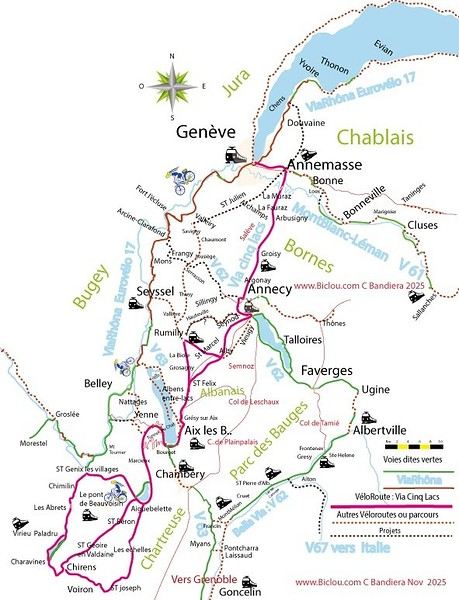
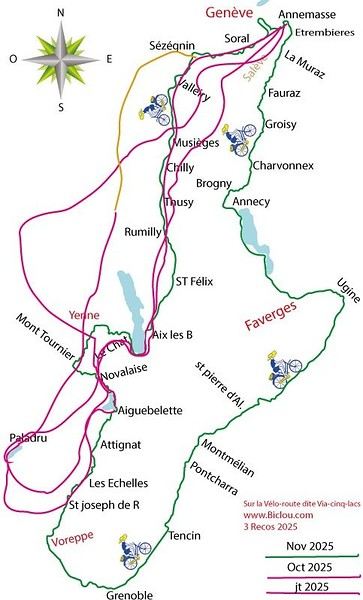
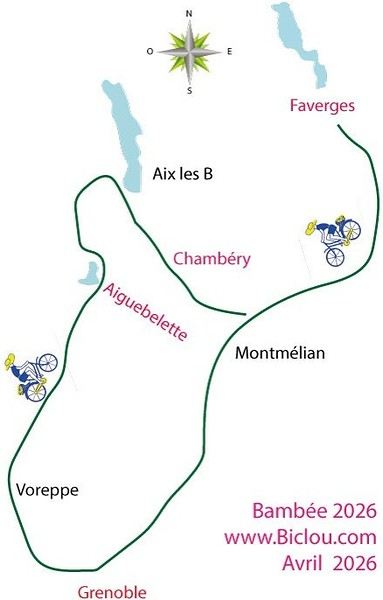
Claudio specializes in the route of the Savoie lakes
Here are his travels
Between Bornes, Chartreuse, the Savoie foothills, and Dauphiné
Five lakes: Léman, Annecy, Paladru, Aiguebelette, Bourget, not to mention a few ponds along the way
Plenty of accommodation options: camping, hotels, and more...
A lovely route not far from his place
Rural and quite peaceful
A road cycling route created by Serge B...
First of all... happy New Year! Wishing you great roads in 2017!
I’ve been traveling for a few years now with a high-quality mountain bike, but it’s equipped with hydraulic disc brakes. I live (pedal) with the constant worry of a breakdown (leak, air bubble, heat causing the fluid to...). My bike mechanic tells me it’s impossible to switch them out for V-brakes.
What do you all think? Am I taking a big risk continuing (alone) with these brakes? Thanks in advance for your great tips!
First post here to share a quick recap of our west-to-east bike trip along Algeria’s coast in January 2025.
It was just the two of us—my partner and I—with French passports and not a word of Arabic. No friends or welcoming hosts in the country.
Under those conditions, we’d strongly advise against going.
Our original plan was to follow the coast from Algiers to Tunis. We ended up cycling from Algiers to Béjaia, then took the train from Béjaia to Annaba (with a stop in Constantine), and finally biked to the border.
We were tailed by police the whole way—whether on our bikes, on the train, or even on foot while exploring towns. On top of that, we couldn’t wild camp and were limited to the few state-approved hotels that accept foreigners. Under those circumstances, connecting with locals was especially tough.
With such an omnipresent and intrusive police presence, we’d definitely recommend against this destination for bike touring. A really sad situation that completely cuts you off from the local population...
We’d been warned, we went to check it out, and we weren’t disappointed!
Hi there,
I’m planning the route to cycle from Lille to Nordkapp with my partner.
Duration: 3 months, from May 1st to July 31st, 2026.
In the attached details below, I need to add some "non-riding" days (rest days, basically).
So I’m looking to "shorten" the trip by taking ferries or trains for some stretches. Which areas could I skip?
Thanks in advance for your great tips.
Have a good evening.
https://www.komoot.com/fr-fr/collection/4023980/-lille-cap-nord-1er-mai-au-31-juillet-2026?ref=collection